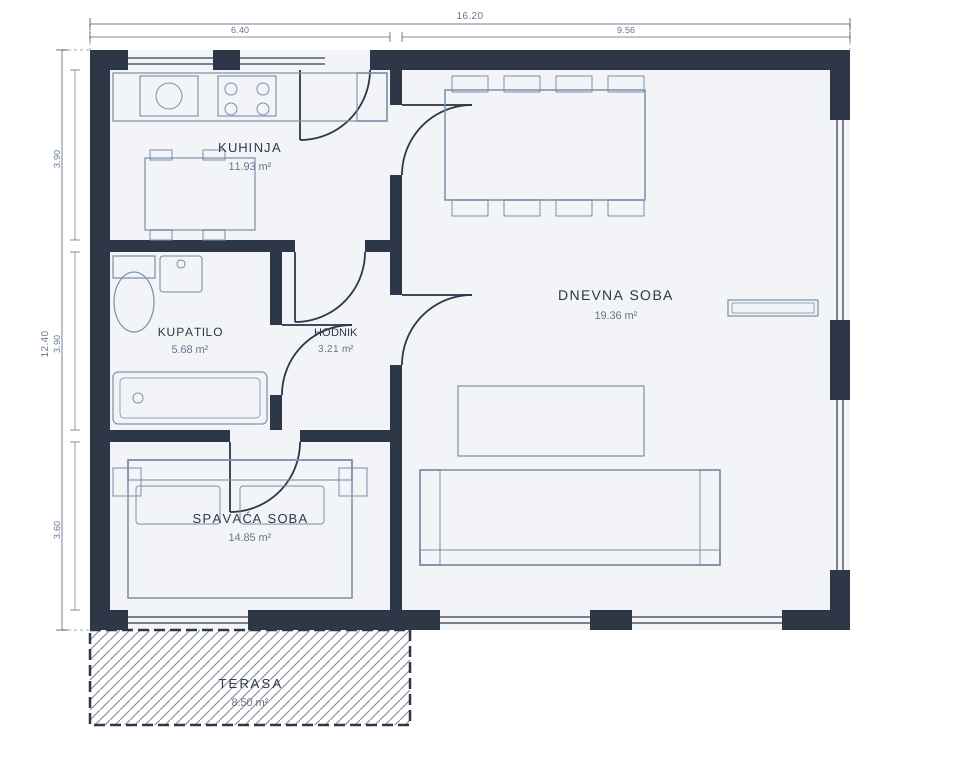
A system for contractors who want fewer calls, less paperwork, and no lost information
Brixo helps residential construction contractors keep every project in one place: tasks, subcontractors, issues, documentation, and site photo evidence.
Do any of these sound familiar?
Documentation gets lost
Drawings, permits, and certificates end up in WhatsApp groups, emails, or with the wrong person. When needed, the team loses time.
Tasks have no owner
Nobody knows who took a task, what is late and what is done. The site manager keeps calling to check.
Issues get forgotten
A problem is reported verbally, nobody logs it, and the same topic comes up again a few days later.
Nobody knows what was used
Material is used without a record per location, so the reckoning is done later and from memory.
Who was on site?
The daily crew record is kept on paper or not at all, and later everyone remembers it differently.
Reports for the investor take hours
Status, issues and photos are gathered from messages and spreadsheets every time someone asks for a report.
All your projects on one screen
For owners and site managers who run more than one building.
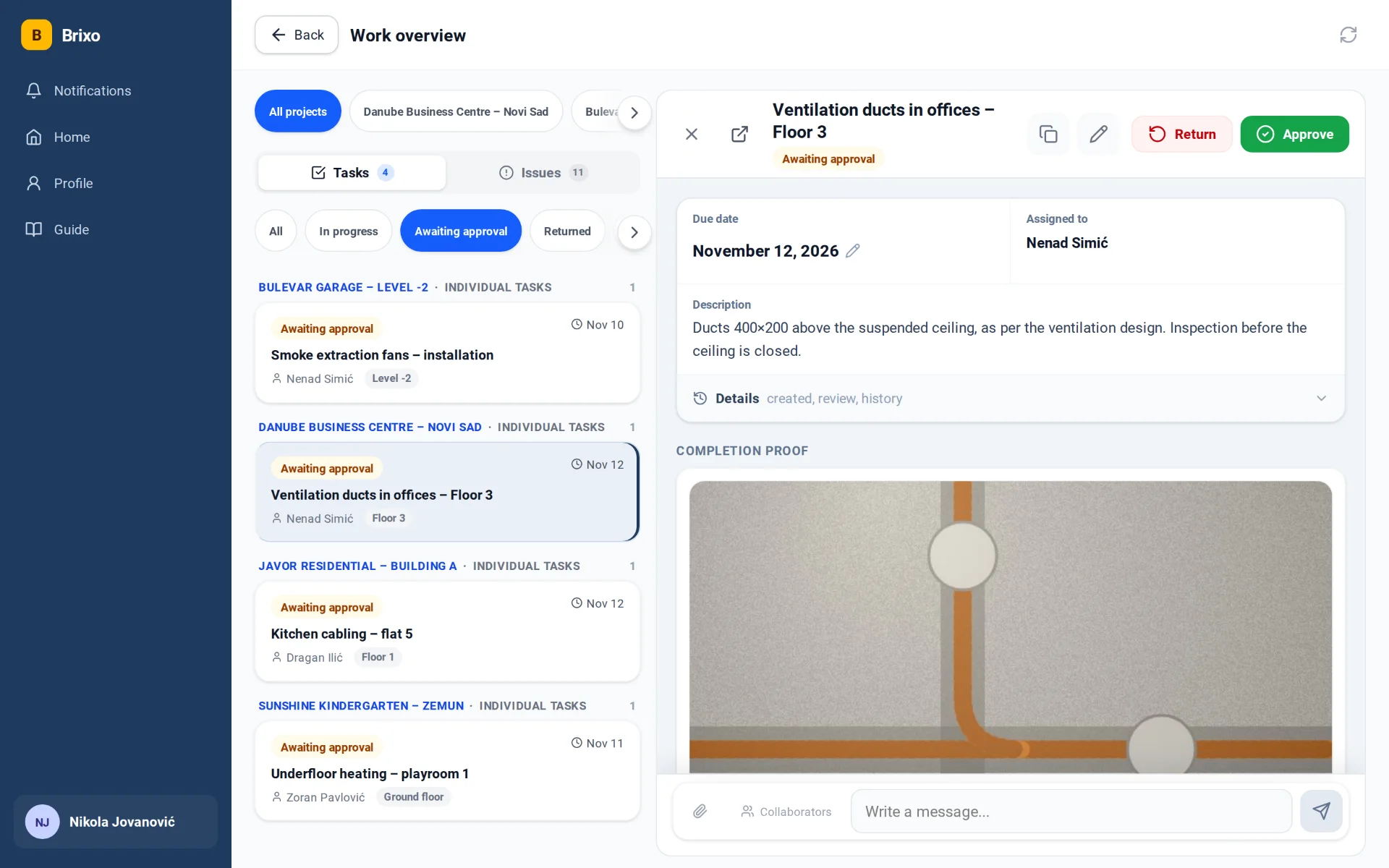
- Every task and issue from every project in one list.
- Filter by project, status and deadline: in seconds you see what is late and what is waiting for your approval.
- One tap and you are in the task, with its photos and messages.
Sample projects with invented data.
From a reported issue to finished work
Worker reports an issue
On site, they add a photo, voice note, or short description.
The site manager gets notified
The issue is immediately visible to the right person, without searching through group chats.
Task is assigned to the team
Everyone knows what to do, by when, and on which project.
Completion is confirmed with photo proof
The contractor sees the status and proof of completed work in one place.
Worker reports an issue
On site, they add a photo, voice note, or short description.
The site manager gets notified
The issue is immediately visible to the right person, without searching through group chats.
Task is assigned to the team
Everyone knows what to do, by when, and on which project.
Completion is confirmed with photo proof
The contractor sees the status and proof of completed work in one place.
The same project on the tradesman's phone and on the office computer. Every change shows up at once, for everyone.
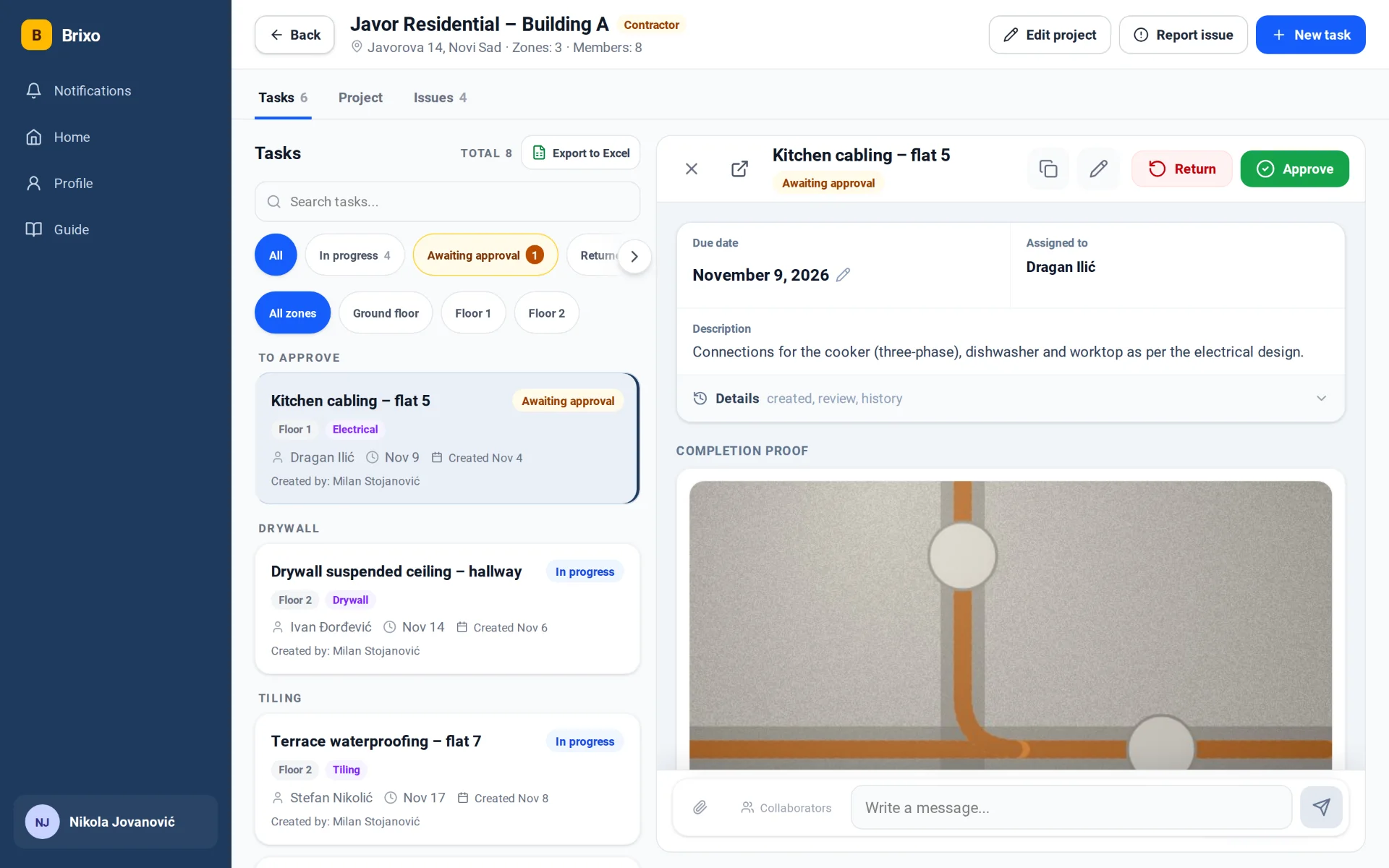
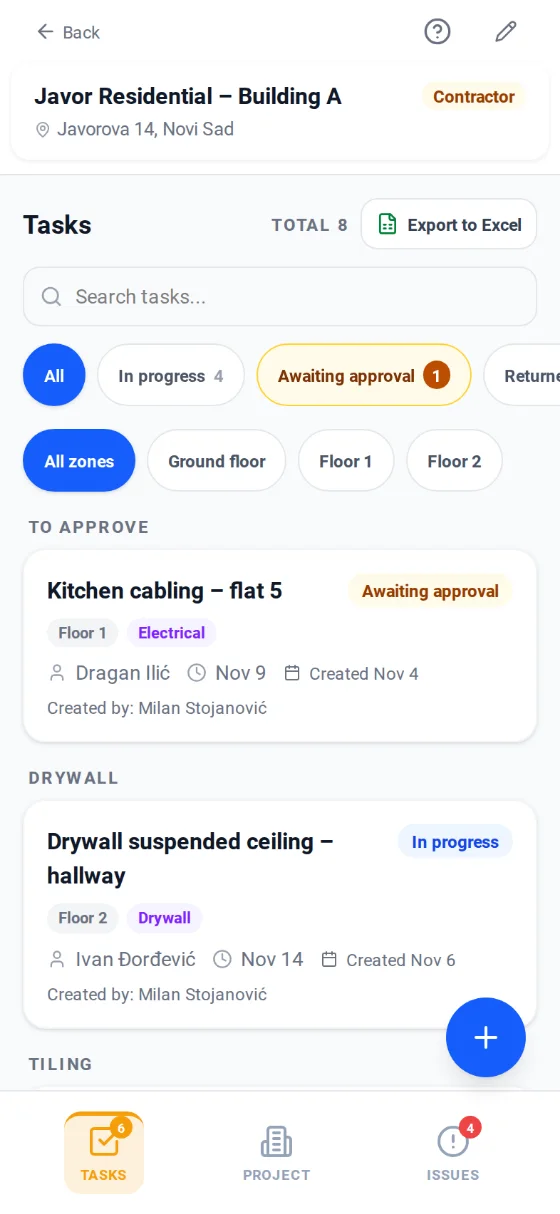
Tasks
- Every task has an assignee, a due date, a zone and a trade.
- The tradesman sends a photo as proof, and you approve or return it with one tap.
- Filters by status and zone, and export to Excel.
Sample project with invented data.
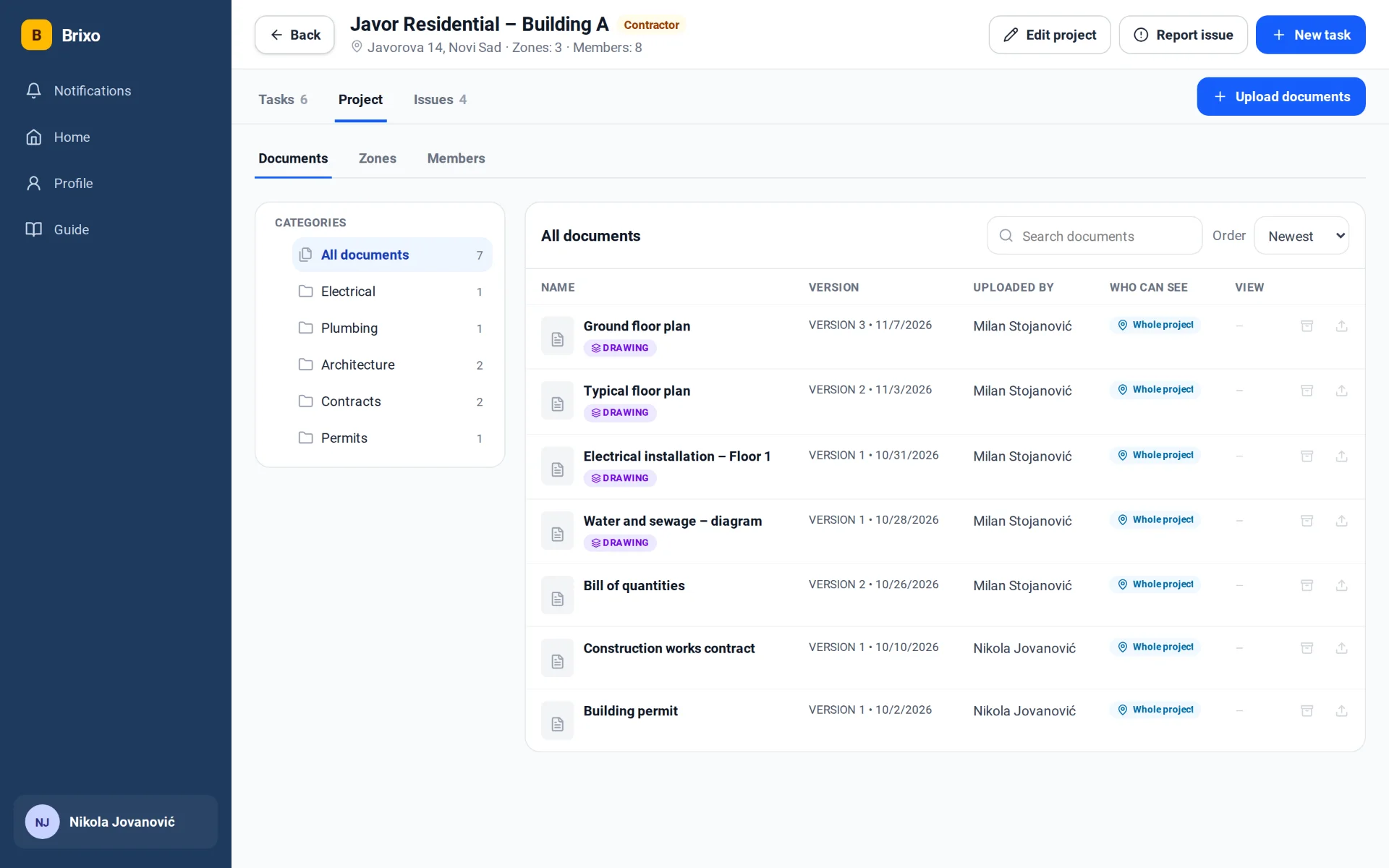
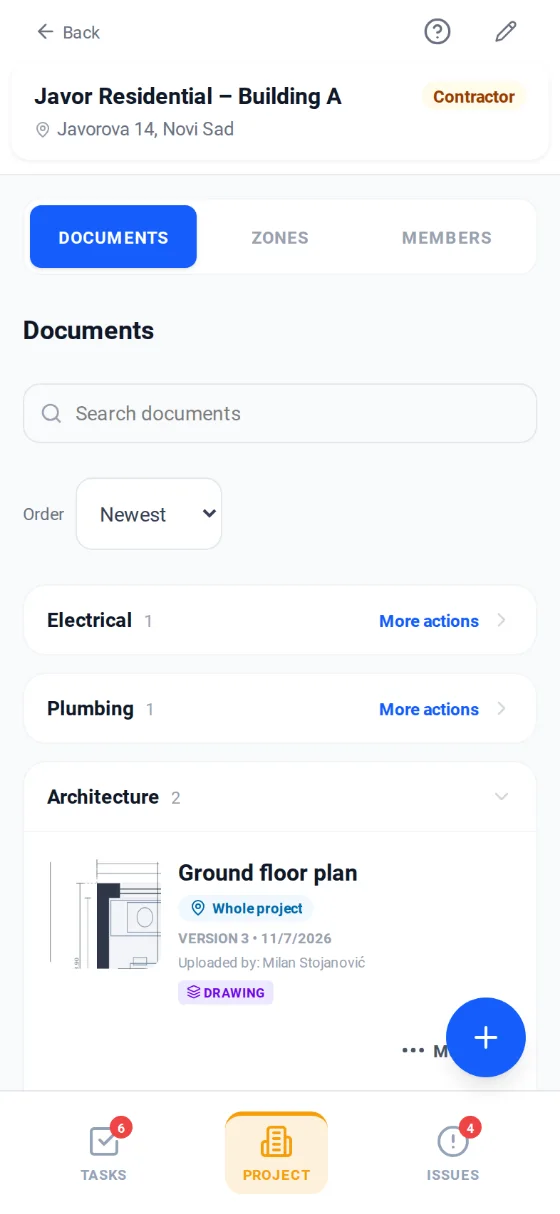
Documents
- Drawings, contracts and permits in one place, by category.
- The latest version is always the one you see, and older ones stay in the archive.
- You decide who sees what: the whole project or just one zone.
Sample project with invented data.
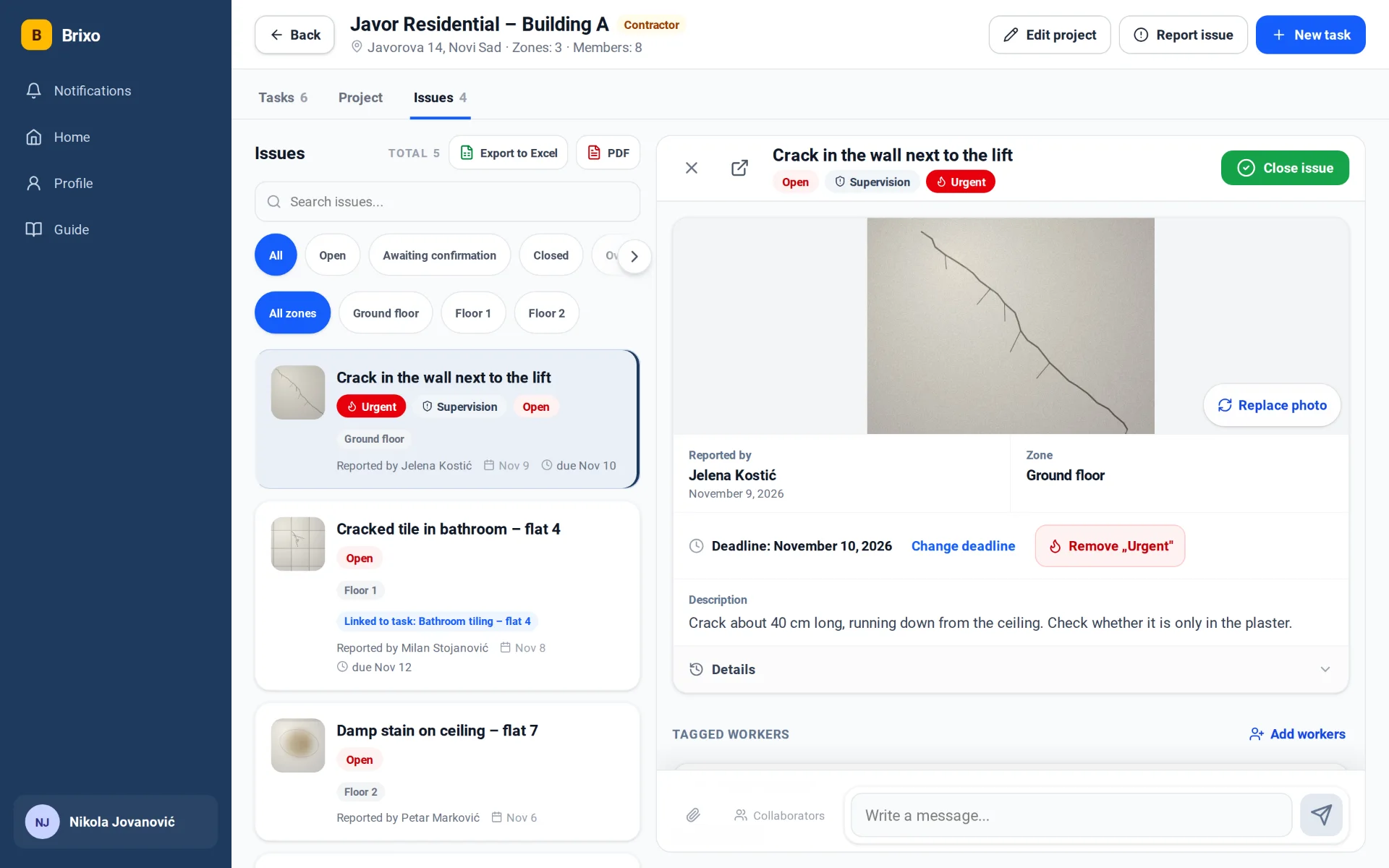
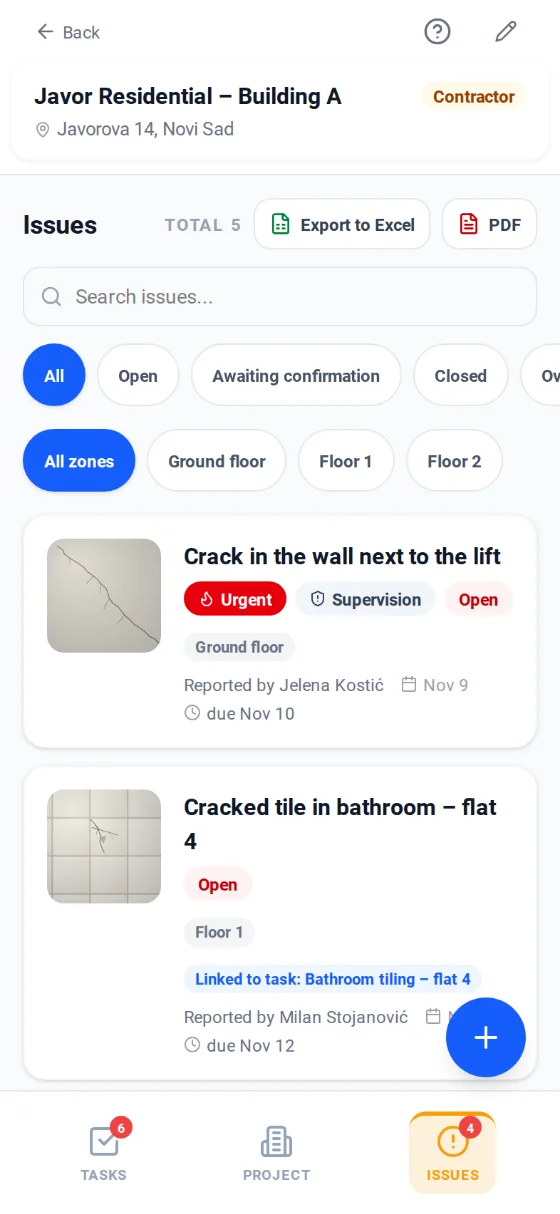
Issues
- Report with a photo, a voice note or text, straight from the site.
- Due dates, the "Urgent" mark and supervision findings stand out at a glance.
- An issue can be linked to a task, and the defect report comes out as a PDF.
Sample project with invented data.
When the project ends, the proof stays with you
The owner of a completed project downloads the whole project in one archive: a record of who did what and when, with photos.
PDF report – every task and issue with photos, and drawings with the positions marked.
Everything in one place – documents with every version, chat and an Excel overview of tasks, materials and crews.
Yours for good – ordinary files that open on any computer without a Brixo account, even after you stop using the app.
For handover, the warranty period and every later question of "who did that".
- Project report (PDF) with photos
- Project overview (Excel)
- Drawings with tasks and issues marked
- Documents with every version
- Photos of tasks and issues
- Chat
Add-on modules for larger sites
Switched on for your whole company when you need them. No new app and no new account: the module appears in the projects you already run.
Units
A flat, floor or building section as one unit with its own tasks. You see at once what has not started, what is in progress and what is done, with a unit report.
For: residential buildings and projects with many identical units.
Material used
The crew on a task records what was used, with a point on the drawing or without one. A report per period is ready for billing.
For: contractors who bill material per item.
Crew on the task
Who worked on a task or issue on which day, by name or just by headcount. It covers workers who do not have the app too.
For: sites with several crews and subcontractors.
Construction diary
A day-by-day diary in Excel, built from what was done in the app: work, crews and weather. Nothing is copied by hand.
For: site managers who keep a construction diary.
Checklist templates
Your company's checklists go into a task with one tap, so no step gets skipped.
For: companies with their own quality standard.
Which modules do you need?
Tell us what your site looks like and we will switch on what helps you.
In every plan, no module needed
- Tasks with photo proof
- Issues from the site
- Documents and drawings
- Points on drawings
- Works without signal
- Phone notifications
- PDF and Excel reports
- Archive of a completed project
A solution for every role
For contractors
See the status of all projects, open issues, and tasks waiting to be completed.
For site managers
Assign tasks, track who's doing what, and resolve issues without endless calls and messages.
For workers
Receive clear tasks, send a photo of completed work, and report issues right from the site.
Enterprise & Enterprise Pro
For companies running large sites, with trade teams and zones.
Enterprise
For a large construction site.
per month, per project
- Teams by trade: electrical, plumbing, tiling…
- Up to 30 photos per task and up to 10 as proof of completion
- Site managers bring in designers and other site managers themselves
- Onboarding training for your team
- Support by email and phone
Enterprise Pro
For a building with several blocks or floors.
per month, per project
- Up to 3 zones per project: blocks or floors
- Each zone with its own site manager and its own teams
- A zone's site manager sees and runs only that zone
- Up to 60 photos per task and up to 20 as proof of completion
- Priority support and project structure setup
Frequently asked questions
Launch your first project in Brixo today
Replace lost messages, unclear tasks, and scattered documentation with one simple tool for construction sites.